

Choosing the right PC case is an important step when building a high-performance gaming system. A powerful graphics card needs enough physical space, proper airflow, and reliable cooling to deliver consistent performance. If you are planning a gaming pc rtx 5080 build, selecting the right case size will help you avoid installation problems and keep your components running at suitable temperatures. 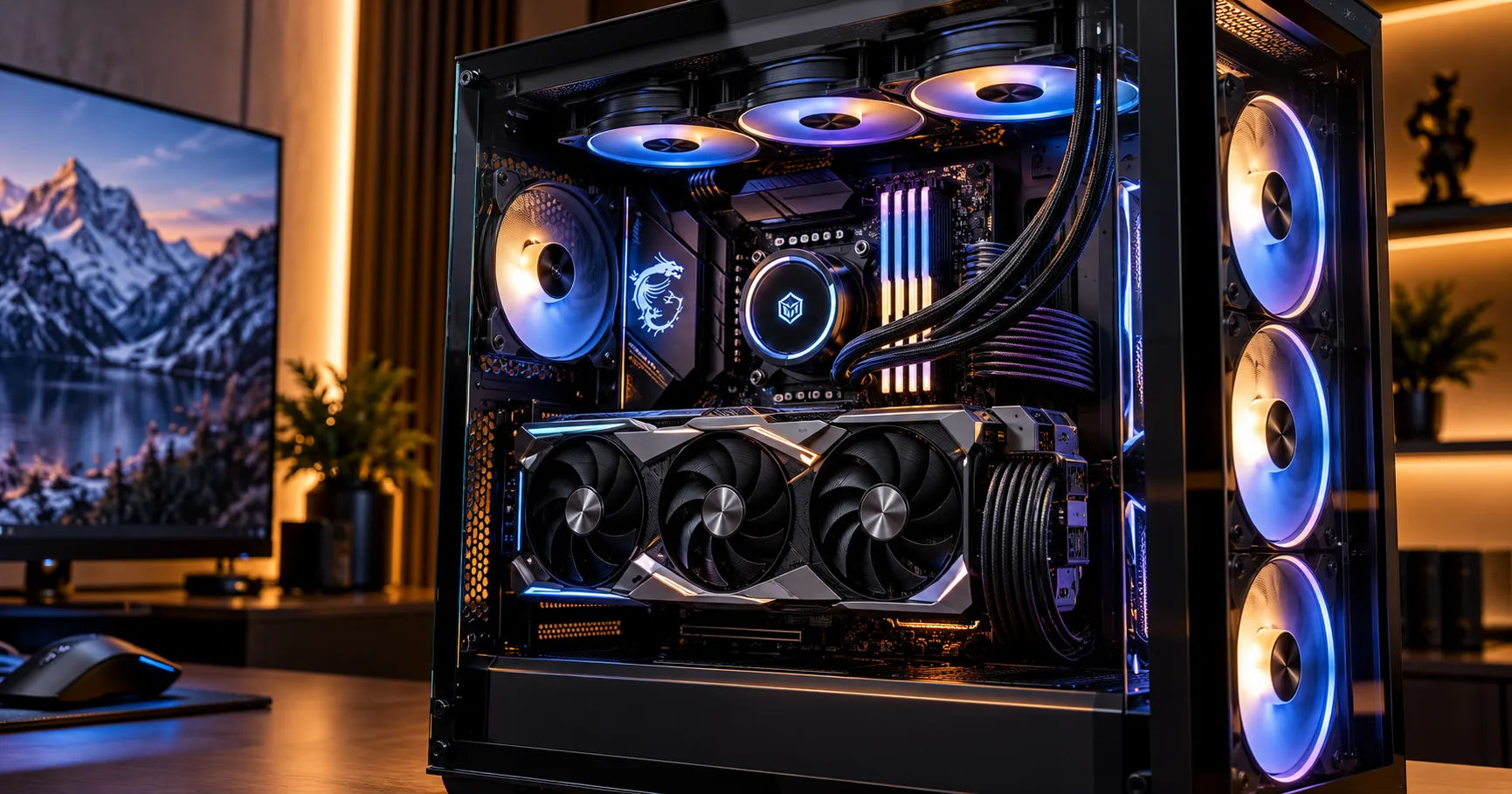 The NVIDIA GeForce RTX 5080 is a high-performance graphics card designed for demanding games, high-resolution displays, ray tracing, and other graphics-intensive workloads. However, different manufacturers produce RTX 5080 models with different dimensions and cooling designs. Some cards are longer, thicker, or taller than others, so there is no single case size that fits every model.
The best approach is to choose a case based on your exact graphics card dimensions, motherboard size, power supply, cooling system, and future upgrade plans. A spacious mid-tower case is a practical starting point for most builds, while a full-tower case provides additional room for large components and advanced cooling setups.
In this comprehensive guide, you will learn which case sizes work best, how to measure GPU clearance, what airflow features matter, and how to choose a case that supports reliable gaming performance.
RTX 5080 Case Size Requirements
Before purchasing a PC case, it is helpful to understand what makes the RTX 5080 different from smaller graphics cards.
High-performance graphics cards often use large heatsinks, multiple fans, reinforced frames, and substantial cooling systems. These features help control heat, but they also increase the space required inside a computer.
The RTX 5080 has a reference power rating of approximately 360 watts. Depending on the specific model, its cooler design and physical dimensions can vary considerably. This means a case suitable for one RTX 5080 version may not necessarily fit another.
Why Graphics Card Dimensions Matter
Three measurements are especially important when choosing a case:
-
Length: The distance from the rear expansion bracket to the far end of the graphics card.
-
Thickness: The number of expansion slots the card occupies, often around three or more slots for larger models.
-
Height: The distance from the motherboard expansion slot toward the side panel, including any power connector clearance requirements.
These measurements affect whether the graphics card fits comfortably and whether you can connect the power cable without bending it sharply.
A case should provide more than just enough room to squeeze the card inside. Additional clearance makes installation easier and can improve airflow around the GPU.
How Much Space Should You Allow?
Check the manufacturer's specifications for your exact RTX 5080 model. Many large graphics cards measure approximately 300–360 mm in length, although some models may fall outside that range.
As a practical guideline, look for a case with at least 20–30 mm of extra length beyond your card's actual dimensions when possible. This additional room can make cable routing and front-fan installation easier.
Remember that advertised GPU clearance may change when a front radiator or thick fan assembly is installed. Always check the case manufacturer's conditions for its maximum supported graphics card length.
Which Case Size Is Best for an RTX 5080?
PC cases generally come in several sizes, including compact Mini-ITX cases, Micro-ATX cases, mid-tower cases, and full-tower cases. Each has advantages, but they do not offer the same amount of room for cooling, cable management, or upgrades.
For most users, a spacious mid-tower case is the best balance of size, price, and performance.
Mid-Tower Cases
Mid-tower cases are popular because they support standard ATX motherboards while offering enough room for many large graphics cards.
A good mid-tower model may provide GPU clearance between approximately 350 mm and 420 mm, although exact limits vary. Many also support multiple case fans, large CPU air coolers, and 360 mm liquid-cooling radiators.
For a gaming pc rtx 5080 build, look for a mid-tower with these features:
-
At least 350–370 mm of GPU clearance, with additional room preferred.
-
Three or more expansion slots available for the graphics card.
-
A mesh front panel or another effective air intake design.
-
Enough space for the GPU power cable and comfortable side-panel clearance.
-
Support for your preferred motherboard and CPU cooler.
A mid-tower is usually sufficient if you want a powerful gaming PC without taking up too much desk or floor space.
Full-Tower Cases
Full-tower cases are larger and generally provide more internal space than standard mid-towers. They are useful for builds that combine a large graphics card with several radiators, numerous storage drives, or a large motherboard.
A full-tower case can make component installation and cable routing easier. It may also provide more options for adding fans or changing your cooling setup later.
However, a full tower is not automatically better for gaming. If your graphics card fits comfortably in a well-ventilated mid-tower, a larger chassis may offer little practical benefit.
Choose a full tower when your complete component list requires the extra space, rather than purchasing one simply because the RTX 5080 is powerful.
Compact and Small-Form-Factor Cases
Compact cases can be attractive if you want a portable or space-saving gaming setup. However, they require more careful planning.
Some small cases support large graphics cards, while others have strict length, thickness, and power connector restrictions. A case might technically accommodate the GPU but leave insufficient space for its power cable or cooling airflow.
A compact gaming pc rtx 5080 system is possible, but it is best suited to builders who carefully verify every component dimension and understand the case's cooling limitations.
If this is your first high-end PC build, a spacious mid-tower is generally the easier option.
Important Measurements Before Buying a Case
Checking a case's advertised GPU length is only the first step. You also need to confirm that your graphics card, motherboard, power supply, and cooling components can fit together.
1. Maximum GPU Length
Start by checking the exact dimensions of your graphics card on its manufacturer's website.
NVIDIA's Founders Edition specifications list the RTX 5080 at 304 mm long, 137 mm wide, and 61 mm thick. NVIDIA also recommends allowing an additional 36 mm for the power cable and suggests reserving the space of an extra expansion slot to improve airflow. Partner cards can have different dimensions.
For example, a case that supports a 340 mm GPU might accommodate the Founders Edition easily. However, you should not assume that it will fit every third-party RTX 5080 model.
Also consider front-mounted fans and radiators. These components may reduce the available GPU length, depending on their position and thickness.
2. Graphics Card Thickness
Modern graphics cards can occupy three, three-and-a-half, or even four expansion slots.
A thick card may fit within the case's length limit but still sit very close to the power supply shroud or bottom fans. This can reduce the space available for air to reach the GPU fans.
Check the graphics card's slot thickness and the case's expansion layout. If you intend to use a vertical GPU mount, confirm that the case supports it and that the card will have enough room from the side panel.
3. GPU Power Connector Clearance
Power cable clearance deserves special attention in a high-end build.
The RTX 5080 uses a 16-pin power connection on the Founders Edition, with supported power delivery options detailed by NVIDIA. The cable should be fully seated and routed according to the cable and GPU manufacturer's instructions.
Avoid a sharp bend directly where the connector enters the graphics card. A narrow case can make proper cable routing difficult, particularly when the side panel is close to the connector.
Before buying, consider the distance between the graphics card's power socket and the side panel. A case with a little extra width can make the installation safer and easier.
4. Motherboard Compatibility
Most standard mid-tower and full-tower cases support ATX motherboards, but not every model supports every motherboard size.
Check whether the case supports Mini-ITX, Micro-ATX, ATX, or E-ATX, depending on your chosen board.
Motherboard compatibility also affects where cables, fan headers, storage connectors, and radiator mounts are positioned. An E-ATX board can occupy more space than a standard ATX model and may obstruct some cable-routing openings.
5. CPU Cooler and Radiator Clearance
The RTX 5080 is not the only component that generates heat. Your processor also needs suitable cooling, especially if you use a high-performance CPU for gaming, streaming, or content creation.
If you plan to install a large air cooler, check the case's maximum CPU cooler height. For liquid cooling, confirm the supported radiator size and mounting location.
A 360 mm radiator may fit at the top of a case but not at the front, or it may interfere with the graphics card when mounted in a particular position. Check the manufacturer's layout diagrams before purchasing.
Why Airflow Matters for RTX 5080 Gaming
A correctly sized case gives you the room needed for good cooling, but the case's design also matters.
The RTX 5080 has a rated total graphics power of 360 watts in NVIDIA's reference specifications. That is a substantial amount of heat for a PC to manage during demanding games.
A case with restricted airflow can allow hot air to accumulate around the graphics card. This may cause higher fan speeds, increased noise, and less favorable operating temperatures.
Choose a Mesh Front Panel
A mesh front panel usually allows more air to enter the case than a solid panel with limited ventilation.
For a gaming pc rtx 5080 system, prioritize a case with generous intake openings and suitable dust filters. A mesh design is especially helpful when the graphics card and processor are both under heavy load.
A glass-front case can still work, but check how air enters through its sides, bottom, or other ventilation openings.
Install Fans in the Right Positions
A practical starting point is to use front or bottom fans as intake and rear or top fans as exhaust, following the case's airflow layout.
-
Front intake: Brings cool air into the main chamber.
-
Bottom intake: Can supply fresh air directly toward the graphics card when supported.
-
Rear exhaust: Helps remove warm air from around the CPU and motherboard.
-
Top exhaust: Allows rising warm air to leave the case.
You do not need to fill every available fan position. Start with a sensible configuration, then monitor temperatures and noise during gaming.
Keep Dust Under Control
Dust buildup can restrict airflow and reduce cooling efficiency over time.
Choose a case with removable dust filters, especially at the front and bottom. Clean these filters periodically and remove accumulated dust from fans and heatsinks.
Good maintenance helps the cooling system perform consistently without requiring unnecessarily high fan speeds.
Recommended Case Features for an RTX 5080 Build
When comparing cases, focus on practical features instead of appearance alone. RGB lighting, glass panels, and attractive designs can improve the look of your system, but they should not take priority over component compatibility.
Features Worth Prioritizing
|
Feature |
What to look for |
|---|---|
|
GPU clearance |
Enough length for your exact card, with extra room preferred |
|
Case design |
Spacious mid-tower or full-tower |
|
Front panel |
Mesh or effective intake ventilation |
|
Expansion slots |
At least three available for many RTX 5080 models |
|
Fan support |
Multiple intake and exhaust positions |
|
Radiator support |
Compatible with your chosen CPU cooling system |
|
Cable management |
Enough room behind the motherboard tray |
|
Dust filters |
Removable and easy to clean |
These features help create a balanced gaming system that is easier to assemble, maintain, and upgrade.
Should You Choose a Case With Preinstalled Fans?
Preinstalled fans can save money and simplify your build. However, check how many fans are included and where they are positioned.
Some cases include two or three fans, while others provide fan mounting locations without including the fans themselves. You may need to purchase additional fans to achieve your preferred airflow configuration.
For most builds, two or three front intake fans and at least one rear exhaust fan provide a reasonable starting point. The ideal setup depends on the case's design, fan sizes, and other cooling components.
Examples of Cases Suitable for an RTX 5080
Several established case models illustrate the kind of specifications worth considering. Their suitability depends on the dimensions of your particular graphics card and the other components in your system.
1. Lian Li LANCOOL 216
Airflow-focused
This mid-tower case offers approximately 392 mm of GPU clearance in its standard configuration. Its large front fans make it a strong option for builders who want effective cooling without moving to a full tower. Check radiator placement and exact card dimensions before buying.
2. Corsair 5000D Airflow
Roomy mid-tower
This case is worth considering if you want additional space for cable routing, multiple fans, and liquid cooling. Its advertised GPU clearance is approximately 420 mm, although the available room depends on the installed components and configuration.
3. NZXT H7 Flow
Flexible cooling
The H7 Flow is a useful option for builders who want a clean design, mesh ventilation, and flexible cooling arrangements. Some versions provide around 410 mm of GPU clearance. Confirm the exact model and radiator configuration before ordering.
4. Fractal Design Torrent
Large airflow design
The Torrent emphasizes direct airflow and includes large fans in many configurations. It is a good candidate for high-performance systems that need strong cooling, though its size, layout, and price may be more than some builders need.
These examples are starting points rather than universal recommendations. Check the manufacturer's specifications for the exact revision, particularly if you are purchasing a used case or a regional variant.
Common Mistakes to Avoid When Choosing a Case
Even experienced builders can overlook small details that cause problems during installation.
Buying Based Only on GPU Length
A case's maximum GPU length does not guarantee compatibility with every component arrangement.
Front fans, radiator thickness, drive cages, and cable connectors can affect the usable space. Always check the complete internal layout.
Ignoring GPU Thickness
A card that fits lengthwise might still sit too close to the bottom of the case or block adjacent expansion slots.
Review the graphics card's thickness and confirm that the case provides adequate clearance around its fans.
Choosing Appearance Over Cooling
A case with a solid front panel and limited ventilation may look attractive but can make cooling more difficult.
For a powerful gaming system, airflow should be a primary consideration. You can still choose RGB lighting and glass panels, provided the overall design allows sufficient fresh air to reach the components.
Forgetting Future Upgrades
You may eventually want to add more storage, change the CPU cooler, or install a larger graphics card.
A case with a little extra room can make future upgrades easier. However, avoid paying for a much larger chassis unless you expect to use its additional capacity.
Neglecting the Power Supply
The case must physically accommodate your power supply, but the PSU also needs to deliver enough power for the entire system.
NVIDIA lists 850 watts as the recommended system power for the RTX 5080 Founders Edition configuration. Actual requirements depend on the processor and other components. Choose a suitable, high-quality power supply and check its dimensions and cable compatibility.
How to Check Case Compatibility Before Purchasing
Before ordering a case, follow these practical steps.
-
Identify your exact graphics card. Find its model name and manufacturer specifications.
-
Measure the available GPU space. Check the case's maximum supported length and whether that measurement assumes the front fans are installed.
-
Check thickness and height. Make sure the card fits across the expansion slots and has adequate clearance from the side panel.
-
Allow space for the power cable. Follow the graphics card and cable manufacturer's guidance for connector seating and bending.
-
Confirm motherboard support. Verify the case accommodates your board's form factor.
-
Review cooling compatibility. Check fan positions, radiator dimensions, and CPU cooler height.
-
Plan your cable routing. Ensure there is sufficient space for the PSU cables and that the side panel closes without pressure on the GPU power connector.
Following these steps will reduce the risk of buying an incompatible case or discovering that your cooling setup does not fit after assembly.
Conclusion
The best case size for a gaming pc rtx 5080 is usually a spacious mid-tower with strong airflow, sufficient GPU clearance, and enough room for safe power cable routing. A full-tower is also an excellent choice if you plan to install multiple radiators, use a larger motherboard, or build a system with extensive cooling and storage requirements.
NVIDIA's RTX 5080 Founders Edition measures 304 mm in length, but third-party cards can have different dimensions. That is why checking your exact model is more important than relying on a general case-size label. Aim for a case that provides comfortable clearance rather than one that fits the graphics card with almost no room to spare.
Airflow is equally important. A mesh front panel, well-positioned intake fans, and effective exhaust ventilation can help manage the heat generated by a high-performance graphics card. You should also consider CPU cooling, dust filters, cable management, and future upgrades when comparing cases.
Before making your purchase, confirm the GPU's length, thickness, height, power connector clearance, motherboard compatibility, and radiator requirements. A carefully selected mid-tower can provide everything most RTX 5080 gaming systems need, while a full-tower offers extra flexibility for more complex builds.
Ultimately, the right case is not necessarily the biggest or most expensive option. It is the one that fits your components comfortably, supports good airflow, and makes your gaming PC reliable and easy to maintain.
